A client, not a
parallel system.
Most of your company does not sit in front of the HR portal. They have a phone, two minutes, and one thing to do. The Flutter app covers those things properly and reads the same API, through the same permissions, as everything else.
What people actually do on a phone
Four tabs, done in under a minute each.
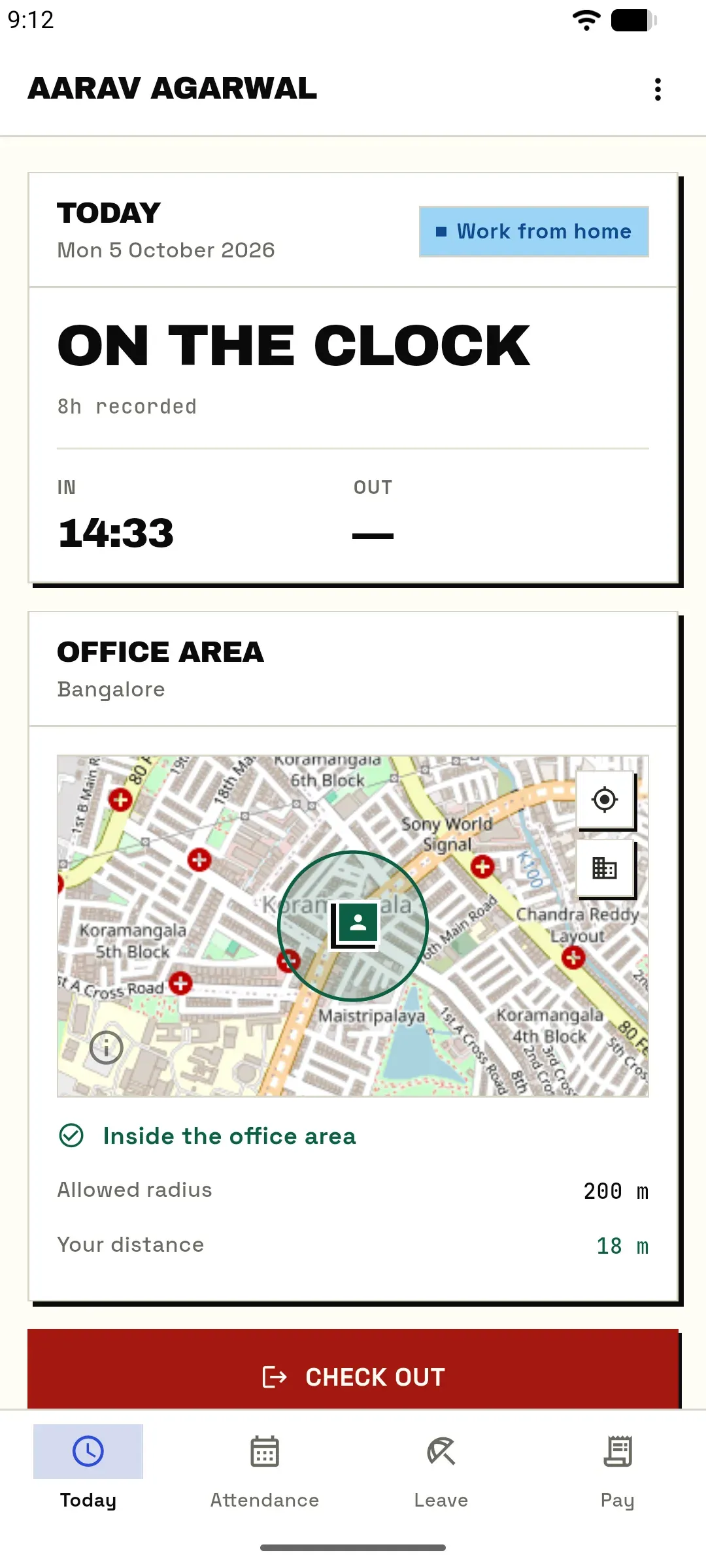
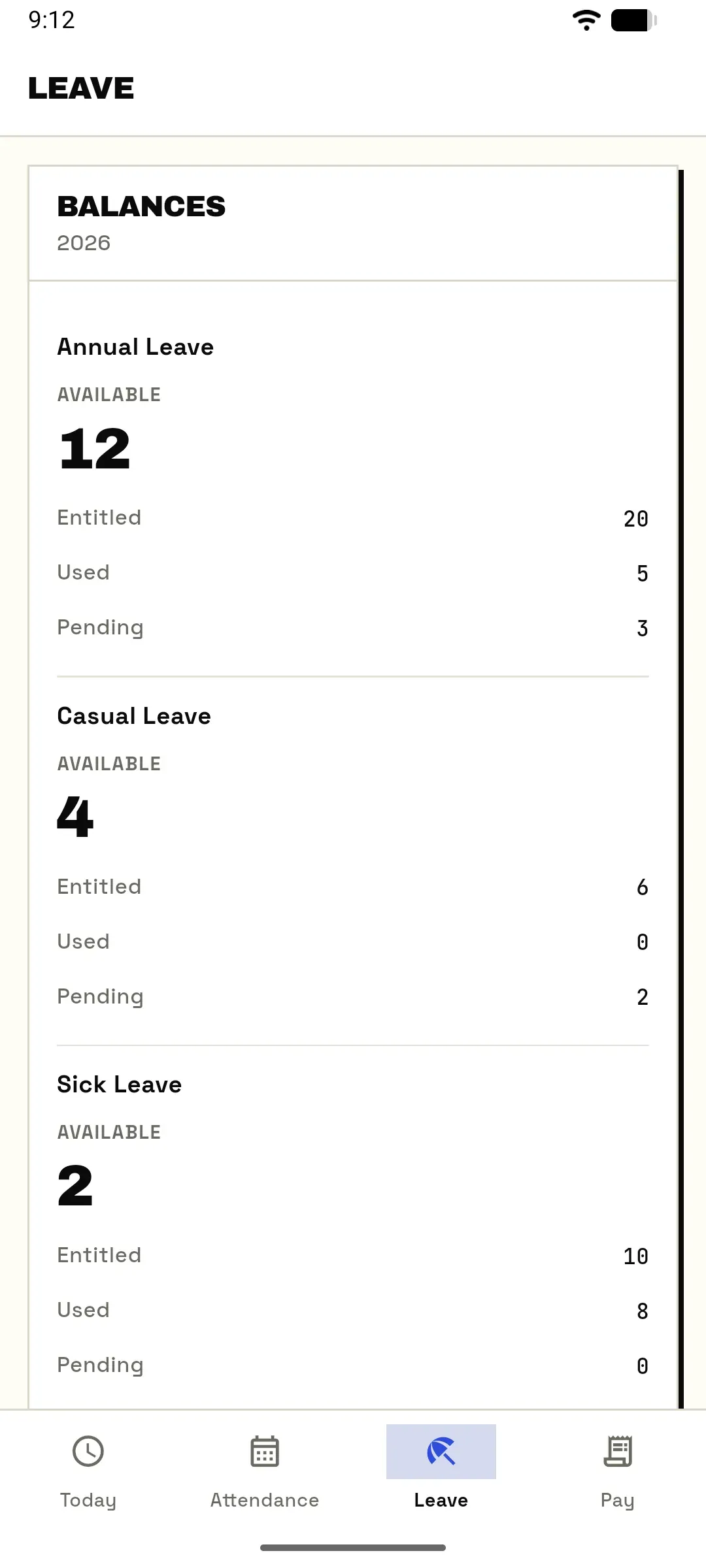
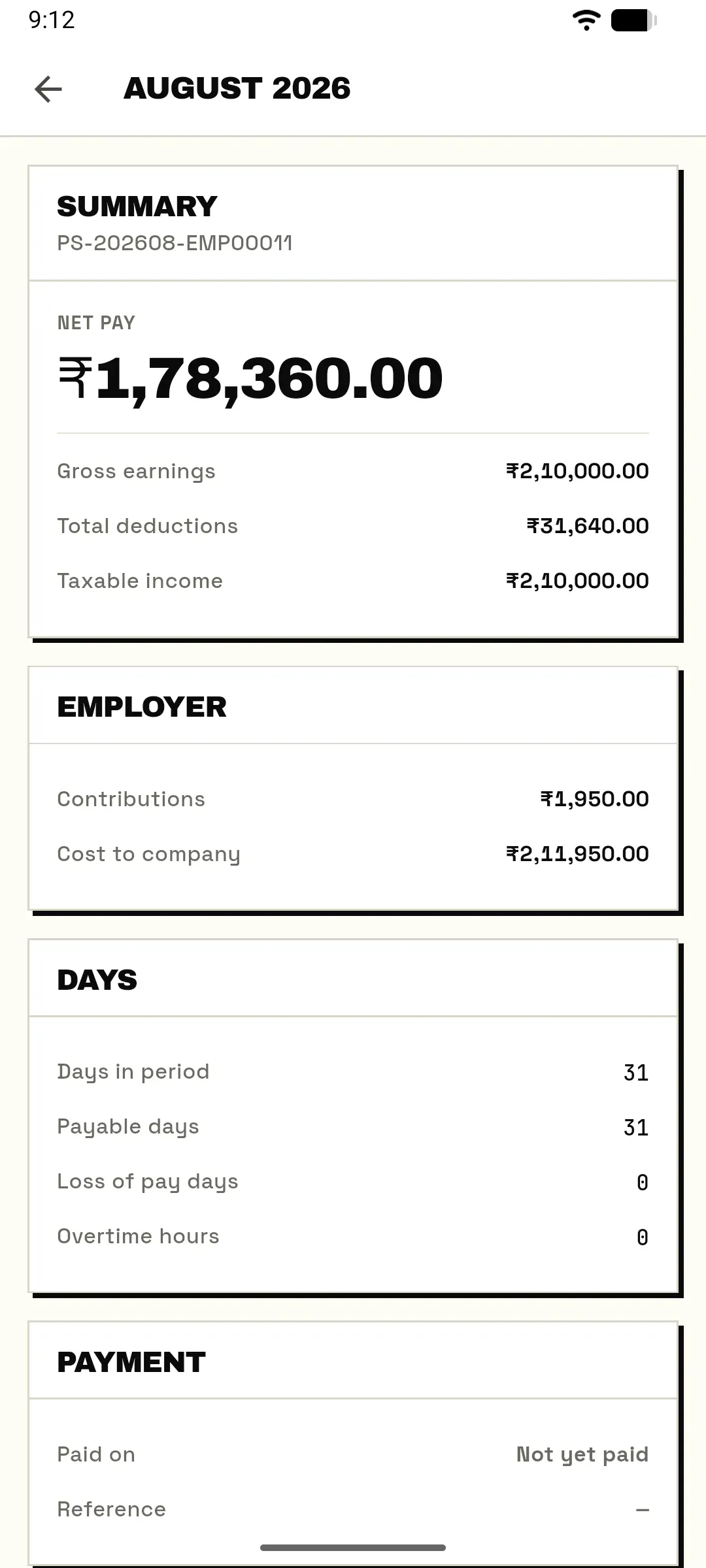
Today, Attendance, Leave and Pay. A mobile HR app fails when it tries to be the whole product on a small screen. This one does the handful of tasks that are genuinely mobile, and does not pretend to run a payroll cycle from a train.
Check in and out
GPS against the office geofence, with the circle drawn on a map and a plain notice when you are outside it. The punch lands in the same timeline as the biometric reader at the door.
Apply for leave, see the real balance
The balance is the accrual engine's answer, not a number typed into a form last April. Apply, or cancel a request while it is still pending; it goes to the same approval chain as one raised on the web.
Open a payslip
The last 24 released payslips, the full breakdown of each, and the PDF. Drafts a payroll officer is still working on never reach the phone.
Read and acknowledge your review
A review shared with you opens on the phone it was sent to, and acknowledging it is one button. Writing a review stays on the web, where there is room to do it properly.
See what was announced
The latest announcements sit on the Today screen, next to the upcoming holiday and your leave balances.
Sign in with your company account
SSO through Okta, Entra ID or your OpenID provider opens in the system browser, never an embedded web view that could read what you type.
Same API, same rules
There is no mobile version of your permissions.
Companion apps usually drift: a field that is hidden on the web is visible on the phone, a check that runs in the portal is skipped in the app. That cannot happen when both are clients of one API and the authorization lives behind it, not in front of it.
- Row scoping is in the data layerOwn record, reporting subtree or everything — decided once, in the model manager, and applied to every request whichever client made it.
- The token carries a tenant claimSign in against your workspace's host and the token is bound to it. Presented anywhere else, it fails rather than degrading into a partial view.
- One codebase, two storesFlutter, so iOS and Android ship the same screens on the same day. A fix is not a fix on one platform and a ticket on the other.
What stays on the web, for now
The phone shows the queue. The web clears it.
A manager sees how many requests are waiting on them, and how many of their own are waiting on someone else, right on the Today screen. Approving, submitting an expense claim and writing a review happen in the web app today. We would rather ship four tabs that work than twelve that half-work.
What is on the device
A phone is the easiest thing in the company to lose.
The app holds a session that can open payslips, so the build settings matter as much as the code. These four are the ones worth naming, because each of them is a real way companion apps have leaked.
Signed with a real keystore
The release build fails loudly without one. The public debug key is never a fallback, because signing a release with it lets anyone ship a hostile update that inherits the stored session.
No cleartext traffic
Plain HTTP is switched off at the platform level, not discouraged in code review. There is no debug host that quietly allows it.
OS backups off
The app is excluded from device backups, so a stored session cannot be lifted out of a backup taken from a machine the employee no longer owns.
System CAs only
The app trusts the operating system's certificate store. A certificate a user was persuaded to install on their own device does not become a way to read their payroll.
Book a demo · 30 min
See it on a phone, not in a screenshot.
We will sign in with SSO, check in against a geofence, apply for leave and open a payslip on a real phone, in the same half hour.